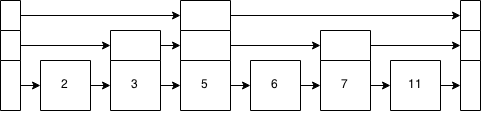
You can even export a SVG that embeds the drawio source. This is how I make diagrams for my projects: I can display them directly from my README, and after editing them in Draw.io's Visual Studio Code extension, I don't have to go through another export step.
- there is an electron version but also a web version which almost works as well which can be great in environments where downloading an electron app is hard.
- many enterprises with Confluence have a plugin in Confluence for embedding drawio.
- embedding the source in .png etc.
- support for UML shapes without forcing me to obey all the rules allowing for quick and dirty sketches.
- quick to use, decent usability.
- acceptable learning curve so I feel ok recommending it to others.
There is also a convenient (unofficial) vscode extension [1] for people who don't want to install yet another electron app but already have vscode. It is able to open & edit local files without going through the upload/download dance.
I have glorious memories of using Macromedia Fireworks at that time. I was 13 years old in 1998. I wish I had a better idea of why I loved it so much but I don’t recall what was different between it and Photoshop.
The integration with Flash, Freehand and UltraDev I seem to remember was good. Being able to edit one file embedded in another program was a neat feature.
One file that displays universally on all browsers or image-viewers while still also being the file that you can easily edit. I've also noticed it doesn't make the file that much bigger. (1-10KiB with some of my larger drawings)
The first SVG export's problem was just that it had a transparent background. Chrome's default background is white, and so it draws the transparency on top of white, which is why the SVG looks fine in Chrome. Eye of Gnome displays transparency as a checkboard pattern, just like Gimp, Photoshop and many other image editors.
Yes! Any "rich text formatting" in text elements is lost: there's no line wrapping (it adds an ellipsis in some cases?), the sizes are wrong, there's no italics, no bold, no color.. all of that is achieved with HTML markup rather than SVG: draw.io's SVG output is really more HTML+SVG than it is SVG, so eog / librsvg are not to blame here, they're not trying to support `foreignObject` - and neither are a ton of other SVG viewers people use.
Hey David, thanks for draw.io/diagrams.net and I hope you liked the article!
I've found both of these before attempting any of this (I think you linked them to me on Twitter?), but was happy with neither of them: the point was to not depend on Docker, or Node, or have a solution that's Linux-only.
My solution integrates well with the rest of the pipeline that's all-Rust, and it works at least on Linux and Windows (macOS would probably be easy to support as well but I don't use it currently). It's very similar to `draw-image-export2` in spirit.
In my solution I made sure to ship a font I always use in diagrams (Iosevka) as a webfont, so I don't have to rely on fontconfig to find it - I'm not sure how that would work with either of the readily available solutions. And finally, I've left as a next step but: I am planning on keeping a Chrome instance running in the background (and an http server), and re-use it so there's less setup/teardown for each export.
Yes, I confess to enjoying a long hack to achieve an end goal, even if it's working around issues I helped to cause :).
But yes, I see the problem with docker, we don't actually use any of the docker images anywhere. Why is node a problem?
We are thinking about adding an option to make the SVG export go via PDF through inkscape to make the labels all SVG. The end SVG is actually smaller than the one we produce in initial testing.
Do you know, does this also work in WSL nowadays. Some time ago I've tried to generate a PDF/SVG using mermaid.js' CLI and it failed miserably with a Chrome stacktrace.
Edit: I'd also like to point out that depending on Chrome just to support headless exports seems a bit much, but I've also got 32GB of ram to spare, so I might be fine.
I was puzzling over Eye of GNOME’s misrendering and wondering what the SVG could possibly be to render so, right up until the point you mentioned the use of foreignObject. Ah, HTML in SVG, got it. Seems a strange choice for export, rather than resolving the layout into text/tspan elements. The only reason that I can think of (other than ease of implementation/laziness) for doing things with foreignObject is so that it can reflow into the available space if a different font gets used, since you can’t depend on the specified font being used; yet I expect such reflow would break at least as many cases as it improved, since the containers for the text are a fixed size. There is no universally correct option for such font substitution in a fixed-dimensions format like SVG mostly is, so I would have thought you’d stick with pure SVG since foreignObject HTML loses you so much compatibility. Calling it SVG export when SVG editors as a class can’t handle it is extremely surprising and I think rather tacky. (See also https://desk.draw.io/support/solutions/articles/16000042487-..., sounds like you can disable word wrap on each text box and that’d stop using foreignObject.)
A more interesting option in this format balance would be doing the entire layout in HTML, and only using SVG for drawing boxes and lines and such when CSS is insufficient. This would certainly be a whole lot more work, requiring deeper layout semantics on the diagram, but could allow better responsive design on the diagram as a whole.
Foreign Object support in SVG is an optional part of the 1.1 SVG. Yes, it's true that only browsers support it in practice.
The reason for its usage is historic. Originally, this project was the underlying diagramming library only, that uses the SVG DOM for rendering. There was no application and no SVG export, that wasn't a function of the library.
FOs in SVG gave us the whole range of HTML in shape labels. So, as well as complex text formatting, we used it for tables, complex composites, etc. There a large legacy of shapes that use complex HTML for labels, we can't drop support for those.
The app itself came later and the SVG export function even later. It was fairly easy to generate because we can take it from the SVG DOM. But, converting HTML to SVG requires parsing the full HTML specification and generating the SVG to maintain compatibilty. This is an horrifically large task, it would require probably 5+ people full time, we don't have that resource.
I'm not sure calling it SVG is "tacky". It is part of the SVG 1.1 spec, albeit an optional one, it's not like it's isn't SVG at all. But yes, it causes confusion, thus the entry in the README [1], "It is not an SVG editing app, the SVG export is designed only for embedding in web pages, not for further editing in other tools."
Even using SVG for word wrapping alone, we've repeatedly asked critics how to do that without HTML for measuring the font metrics, we're yet to receive an answer how to do that in JavaScript. We've had plenty of comments pointing out this is wrong, we need a practical alternative thought out in detail.
<foreignObject> is a required part of SVG; but specific foreign namespaces like HTML, well, they’re not part of the spec at all; it just so happens that browsers all implement the same obvious but unspecified behaviour. In fact, the spec’s quite silly on the point of HTML in SVG, because you should be able to do something like this to use HTML in renderers that support that and fall back to SVG text otherwise:
… except that no values for requiredExtensions were ever specified, so including this attribute will make some HTML-capable renderers use the fallback, and omitting it will cause all correct SVG renderers to use the <foreignObject> (rendering nothing if they don’t support the HTML namespace) and ignore the <text>. Quite why they preemptively didn’t declare XML namespaces valid extensions, I don’t know; not doing so rendered the entire feature uselessly broken for its main intended use case! (I dunno, maybe all browsers implement requiredExtensions="http://www.w3.org/1999/xhtml" now; the thread at https://www.w3.org/Graphics/SVG/WG/track/issues/2053 talks of Amaya emitting it and Firefox not liking it back in 2008, and https://github.com/w3c/svgwg/issues/138 talks of Firefox accepting it in 2016. I haven’t tested anything.)
—⁂—
To do manual word wrapping, you have two main choices:
(a) If it’s acceptable to use HTML at conversion time, Range does all you need, with Range.getClientRects on a range spanning an element returning more than one value if wrapping has occurred, and then you can do something like binary search on the process to find the point of line break, or you can get cleverer if you like to speed it up.
(b) If not, you’ll need to embed at least an OpenType font loader and shaper. HarfBuzz is a good choice for this, with a WASM version readily available (among other options); https://harfbuzz.github.io/harfbuzzjs/ demonstrates it. There are at least three pretty decent options in Rust, too (in alphabetical order: Allsorts, RustyBuzz, Swash), and a few immature libraries covering more to do with rich text formatting (including wrapping) rather than just stopping at shaping.
I’m pretty sure I’ve heard of at least one full HTML-to-SVG renderer that ran in the browser, too, used in such places as filing bug reports to take a “screenshot” of the page. HTML → PDF → SVG is very probably a more practical path for this in your case.